The rental desk, the workshop and the books — in one system.
Reservations, fleet, customers, pricing, payments and trip expenses on one record per rental. Owners see the money. Managers see the day. Staff see their next pickup.
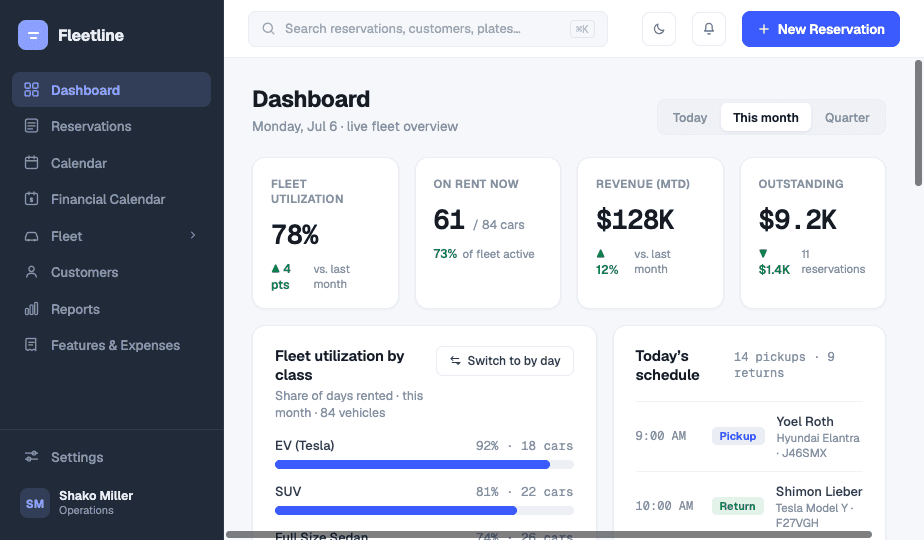
Nine jobs. One record. Zero double entry.
Pricing, agreement, payments, tolls and damages attach to the reservation itself. Change a catalog price and last month’s numbers stay exactly as they were.
Reservations
Reserved, on rent, completed, closed — status follows the pickup and return events, not somebody remembering to change a dropdown.
Rental agreements
Generated from your own template, signed at the counter, stored on the reservation with photos, fuel level and the verification checklist.
Fleet & vehicle records
Vehicles, classes, plates, branches, condition and finance in one place — plate and toll-tag changes tracked over time.
Availability calendar
Every vehicle against every day. Overlaps, gaps and back-to-back turnarounds visible before you promise a car.
Customers
Licence, ID, contact details, documents and full rental history on one profile.
Payments & invoicing
Deposits, part-payments, refunds and invoices per reservation, with taxes and fees recomputed server-side on every write.
Trip expenses
Tolls, charging and tickets matched to the vehicle and the rental that was open at the time, then billed or absorbed by rule.
Maintenance & damages
Service board, condition dashboard and damage claims, each tied to the vehicle and the rental it came out of.
Reports & payouts
Income per car, revenue against cost, expense breakdowns and partner payouts — exportable, printable, per branch.
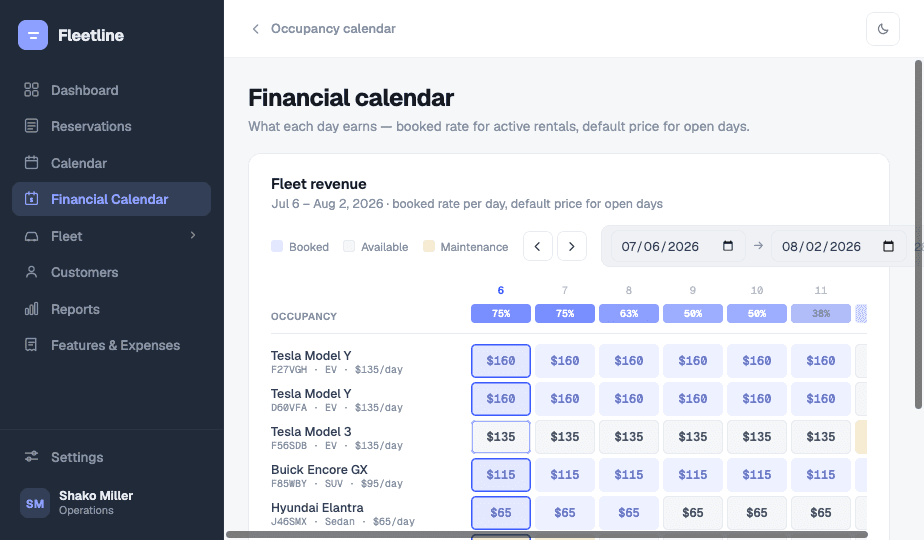
Set tomorrow’s price by dragging across tomorrow.
Select a range of days on any vehicle or class and overwrite the rate for exactly those days. Seasonal rules, dynamic pricing and coupons stack underneath; the most specific one wins at quote time.
- Per-day overrides on any vehicle or class
- Seasonal and dynamic rules with coupons on top
- Quotes snapshot the price, so history never shifts
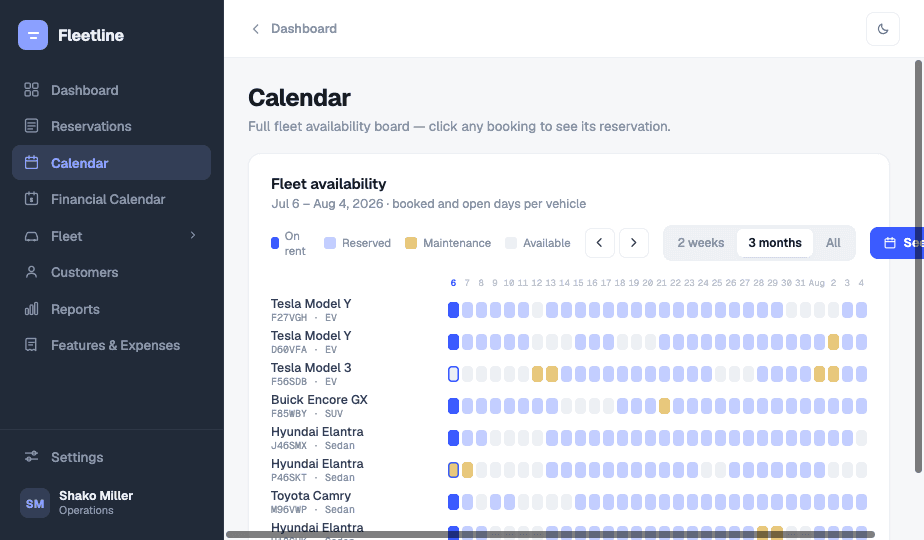
See the month before you promise a car
Every vehicle against every day — overlaps, gaps and back-to-back turnarounds visible at a glance.
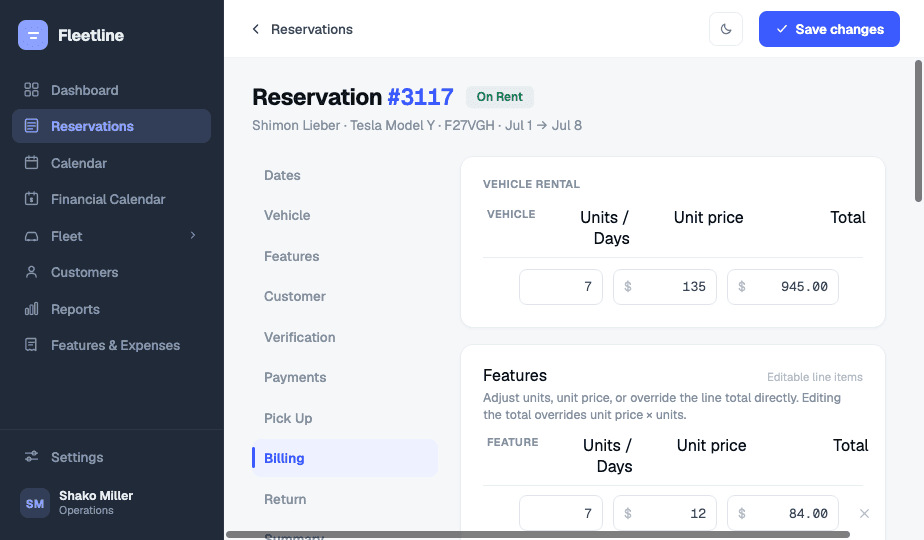
Totals the server computes, not the clerk
Days, rates, add-ons, discounts and tax resolve on every save. Saved billing lines stay authoritative.
From spreadsheet to running desk in four moves.
Claim your sub-domain
Sign up and your workspace is live at yourteam.fleetline.pro in about two minutes.
Load fleet and customers
Import vehicles, classes and customers from a spreadsheet. Bring open reservations with them.
Set pricing and paperwork
Rates, taxes, fees, expense-billing rules and your rental agreement template — once.
Open the counter
Staff get roles and branches. Reports and payouts start filling in from the first rental.
Questions rental operators actually ask.
Yes. Signing up creates an isolated workspace at yourteam.fleetline.pro with its own users, data and audit log. Staff sign in there; nobody browses a shared tenant list.
Branches are first-class: vehicles, staff and reservations are scoped to them, permissions follow, and reports roll up or split by branch.
Import the transactions and Fleetline matches each one to the vehicle and the rental that was open when it happened — plate history included — then bills it to the customer under your expense-billing rules.
Class rates, per-vehicle rates, seasonal and dynamic rules, coupons, and per-day overrides drawn straight on the financial calendar. The most specific rule wins.
The rental agreement is generated from your own template, signed on the spot, and stored on the reservation with pickup and return photos, fuel level and the verification checklist.
No. Pricing, customer and vehicle details are snapshotted when a reservation is saved, so updating your catalog never rewrites history or last month’s numbers.
Take the desk off paper.
Your own sub-domain, your own data, your own pricing rules. Two minutes to start, no card.